
Short answer
On 22 October 2026 we found no MyStake app in the App Store or Google Play and no store links in the site's code. What exists is an install page that adds the site to a phone's home screen as a web app. Opened from a UK connection, that page shows "Region Restricted" and "Location check: Not supported".
Key facts checked on 22 October 2026
- Store listing
- none found, no store links in the code
- Install method
- home-screen web app (PWA)
- Tabs on the page
- iOS and Android
- UK connection
- "Region Restricted" (22.10.2026)
- Support e-mail
- [email protected]
A search for the MyStake app usually assumes there is a download button somewhere. On 22 October 2026 we read the pages the casino links to for mobile use, and the picture is simpler than most review sites make it: there is an install page for a web app, no store listing that we could find, and no APK that the casino's own texts mention.
MyStake app: what is actually offered
The side menu of the casino carries a link labelled "Install App". It leads to a separate install page, not to a store. The page describes a home-screen shortcut: you open the casino in a mobile browser, add it to the home screen, and it then launches like an app. That kind of shortcut is called a progressive web app, or PWA. It is the casino's own site in a window of its own, so it is not a separate program with separate rules.
In the casino's code we found two labels, ANDROID_APP and IOS_APP. Labels alone do not make a product: we searched for the store links they might point to and found none. If you have seen a MyStake download button elsewhere, it is not something the operator's documents describe.
How the home-screen install works
When the install page is opened from a German connection it shows a short set of steps with an iOS tab and an Android tab. The Android route reads as follows:
- Open the casino in Chrome.
- Tap the three dots in the corner.
- Choose "Add to home screen".
- Choose "Install app".
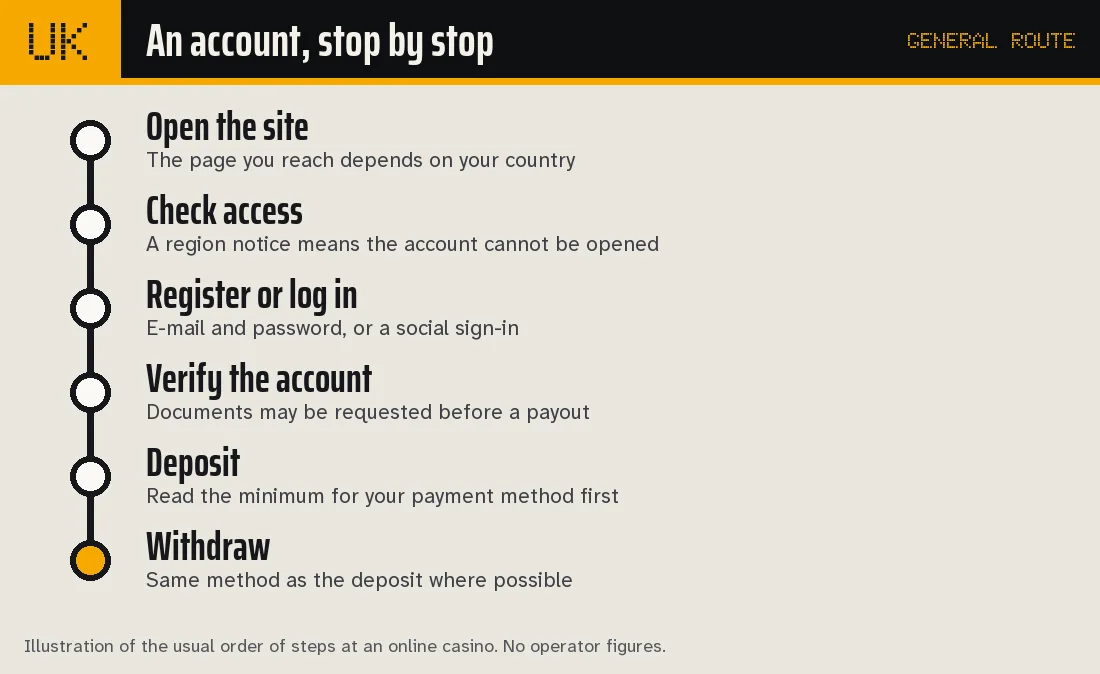
The diagram above is a general order of steps at an online casino, not a picture of the MyStake page. The point it makes is that installing a shortcut comes after access and verification, never instead of them. A shortcut does not unlock an account that the site has refused to open.
What a UK connection sees on the install page
This is the part that changes the answer for British readers. From a UK connection on 22 October 2026 the install page does not show steps at all. It shows a notice headed "Region Restricted" and says that, in line with local compliance requirements, access from the current location has been disabled. A line reads "Location check: Not supported", followed by a support e-mail address.
| Where the page is opened from | What it shows on 22 October 2026 |
|---|---|
| Germany | Install steps with iOS and Android tabs |
| United Kingdom | "Region Restricted", location check not supported |
The same status applies to the casino itself, which answers a UK session check with an "Access restricted" page. The reasons and the written terms are on the MyStake UK page; here it is enough to say that the app page and the account page agree with each other.
What to expect from a web app on a phone
If you read about a shortcut-style app elsewhere, a few practical points follow from how the casino describes itself.
- Same account, same rules. A web app is the casino's site. One account per person, household and IP address applies, and so does the verification policy: photo ID plus proof of address no older than three months.
- No separate bonus. The terms do not describe any bonus tied to using a phone. The welcome package and its 30x wagering are covered on the bonus page.
- Mobile and the mini-games. The short instant games are built for a phone screen, and many players meet them there first. The list is on the mini-games page.
- Storage and updates. A home-screen shortcut needs no manual updates, because it loads the current site each time. That also means it is only as available as the site is.
Nothing in the documents we read mentions app-only promotions, push notifications or biometric login, so we do not describe any.
MyStake app or the mobile browser: what differs
The practical choice on a phone is between three routes, and only two of them are described by the casino. The table sets them side by side using what the documents say.
| Route | What the casino's texts say | What to check |
|---|---|---|
| Mobile browser | The site is a single-page application that adapts to the screen | Access status for your country |
| Home-screen web app | Install page with iOS and Android tabs, steps through the browser menu | Whether the install page opens for you |
| Store app or APK | Not described; labels in the code, no store links found | Nothing to install from this route |
The browser route and the home-screen route lead to the same account, the same cashier and the same limits. Choosing a shortcut changes how you open the casino, not what the casino allows. That is why the payment caps on the payments page and the bonus conditions apply identically on a phone, and why a restriction by country is a restriction on every route at once.
A shortcut does have one small drawback on a phone: it opens in its own window without the address bar, which makes it harder to notice which domain you are on. The casino's footer contains links to several separate domains for bonuses, mini-game promotions and a blog, so it is worth opening the shortcut only from the page the casino itself links, and not from a link in a message or an advertisement.
Before you trust any installer
An unofficial file claiming to be the MyStake app is a different matter from the install page. The casino's texts name no APK, so a file passed around under that name has no source we can check. Our advice follows from the evidence: do not install anything the operator's documents do not describe, and do not enter account details on a page you reached by a route you cannot explain.
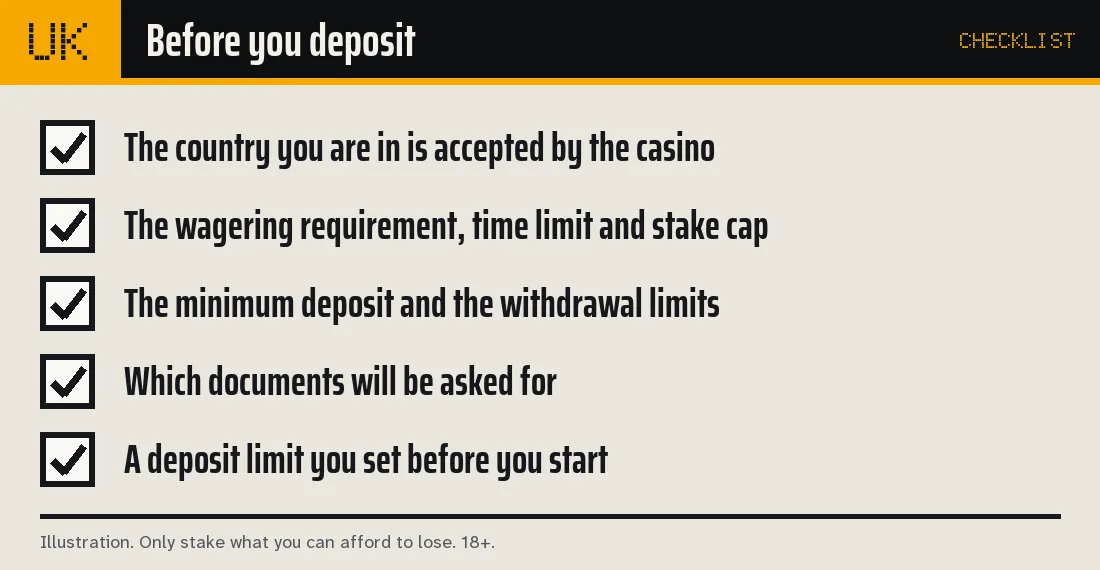
The checklist above applies to a phone as much as to a desktop: the accepted country comes first, then bonus terms, limits, documents and a personal deposit limit. If the first item fails, the rest does not matter. For anything about the app, the casino names live chat and the e-mail address [email protected], and the support page explains how complaints are filed.
What is not known about the MyStake app
We could not confirm, from public texts, any of the following: an iOS or Android store listing, an APK file, a minimum phone version, in-app payment methods that differ from the site, or a separate app terms document. The responsible way to handle a gap is to leave it open, and so we do. If the casino publishes a store link later, this page will be updated with the date it was read.
Read next
- MyStake login: forms, reset and verification
- MyStake UK: access status on 22 October 2026
- MyStake payments and limits
- MyStake support and complaints
- MyStake Casino overview
No app download is involved because the recommended casino can be used from a mobile browser.
MyStake: questions and answers
Is there a MyStake app for iPhone or Android?
We found no App Store or Google Play listing. The casino's install page describes adding the site to the home screen as a web app, with separate iOS and Android tabs.
Is there a MyStake APK?
None is mentioned in the casino's texts. The code contains the labels ANDROID_APP and IOS_APP, but we found no working download link behind them.
What does the MyStake app page show in the UK?
From a UK connection on 22 October 2026 it says "Region Restricted" and "Location check: Not supported", with a support address. From a German connection the same page shows install steps.
Does the app have different rules from the site?
Nothing in the terms suggests that. Bonus wagering, withdrawal caps and verification are written once for the whole casino. See MyStake bonus.
Where do I ask the casino about the app?
Through live chat or [email protected], both named in the site footer. Our support page lists the contact routes.